01
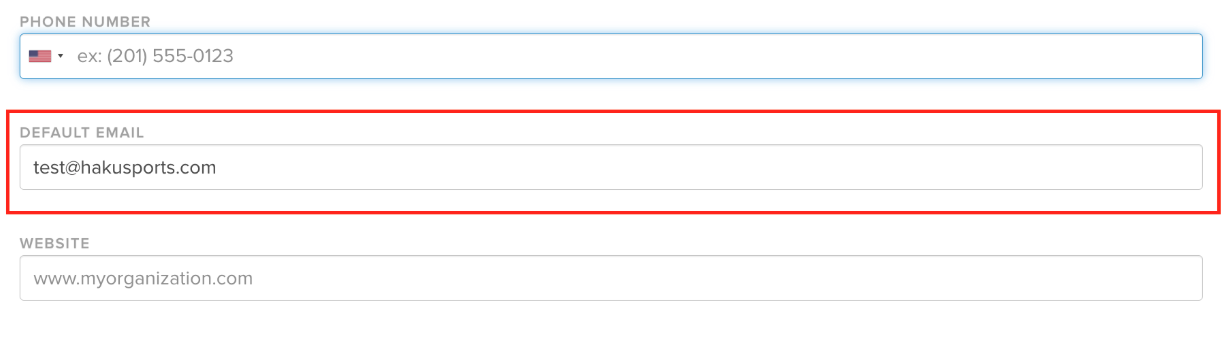
Add an Organization Email Address Before Chariot Signup
Before creating a Chariot account, make sure an email address is listed in the organization’s settings in haku. The organization needs an email address to connect its account.

Getting started
Follow the steps for your organization or charity partner.
01
Before creating a Chariot account, make sure an email address is listed in the organization’s settings in haku. The organization needs an email address to connect its account.
02
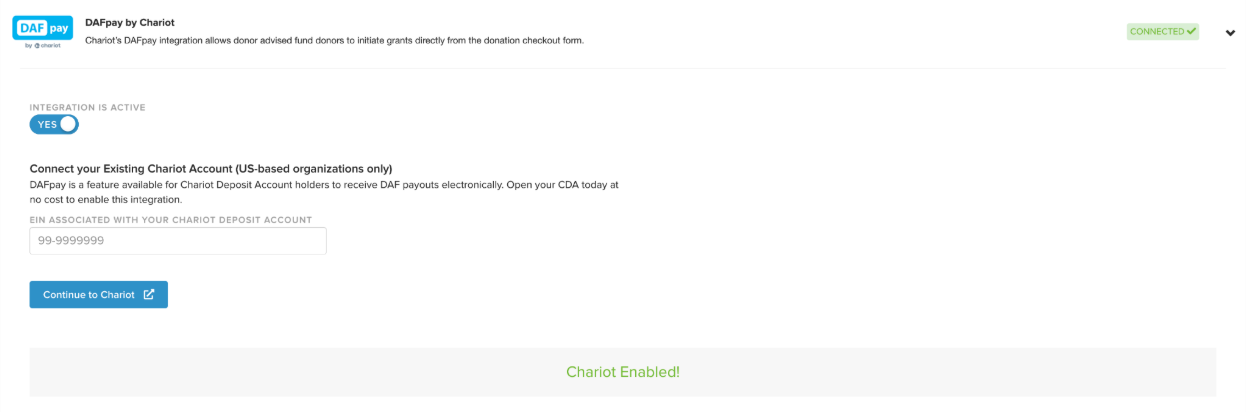
If your organization is not a nonprofit, leave the Chariot integration turned on. You do not need to create or connect your own Chariot account. Eligible nonprofit partners in your events can connect their own Chariot accounts.
If your organization is a nonprofit, continue to Step 4 to claim and connect your Chariot account.
04
A nonprofit must claim and verify its Chariot account before it can accept DAFpay gifts through haku. If the nonprofit already has a Chariot account, continue to the connection steps below.
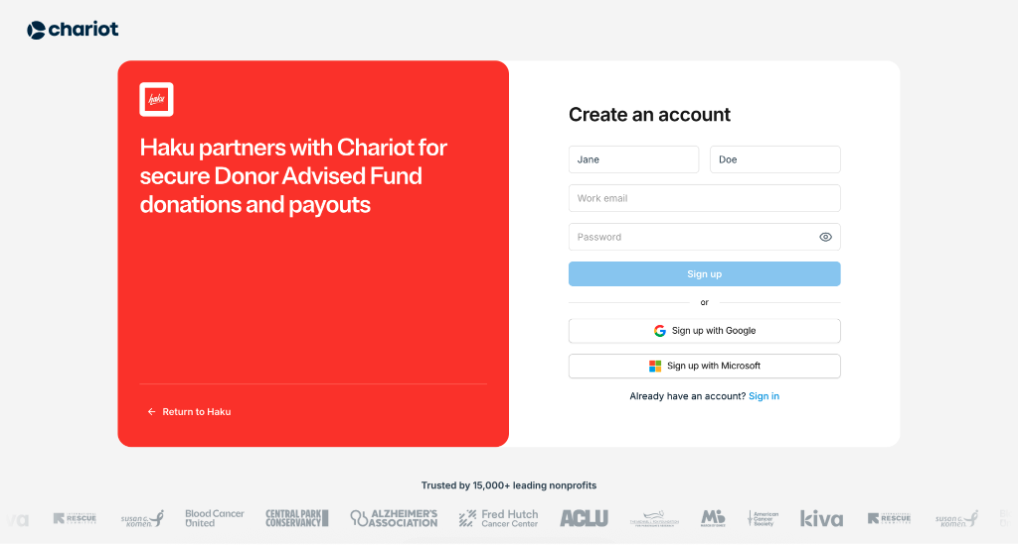
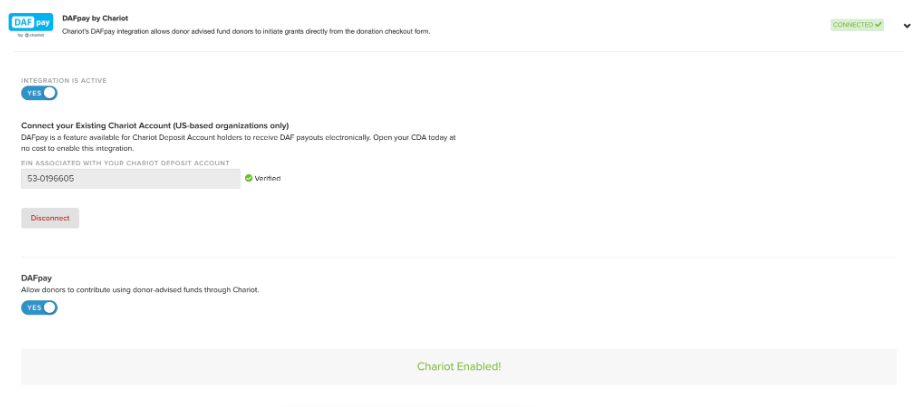
haku checks the Chariot account status when you return to the Integrations page. If Chariot is still reviewing the account, return to haku after Chariot confirms the account is approved.
05
The organization’s Chariot integration must be turned on before a charity partner can access the DAFpay setup option. Each nonprofit partner that accepts DAFpay must provide its own tax number and complete its own Chariot verification.
If the partner’s Company Tax Number is missing, the partner account displays a notice directing the partner to Settings to enter it. After the tax number is added, the notice is removed and the partner can continue with setup.
06
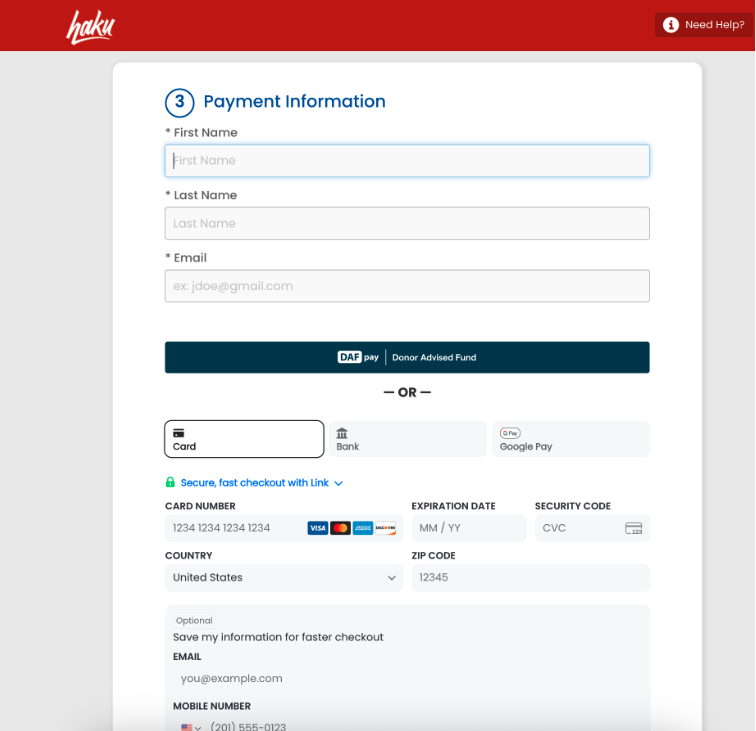
If the donor changes the gift amount in the Chariot checkout, haku reflects the updated amount. The donation record and fundraiser total appear in haku after the gift is submitted. The grant payment may arrive later, after the DAF provider approves it.
DAFpay donors receive the usual haku confirmation page and thank-you email. These can include a gift acknowledgment and thank-you message.
Connecting Chariot lets the organization and eligible partners complete setup. Each nonprofit must complete its own Chariot verification and enable DAFpay. The organization can keep DAFpay turned off for its own pages while leaving Chariot connected for partners.
An event company does not need its own Chariot account to offer DAFpay for nonprofit partners. Each nonprofit partner accepting DAFpay must claim and verify its own account and enable DAFpay.
Donors can use it on eligible organization, partner, individual, and team donation pages. It is not available for registration add-ons, ticket purchases, merchandise, or auction items.
No. DAFpay on haku supports one-time donations only.
No. Only one donation at a time can be paid using DAFpay.
The donation can appear in haku after the donor submits it, but the grant funds arrive after the DAF provider approves the grant. Timing varies by provider and may range from a few days to several weeks.
Open the donation from the haku donation list to see its payment method. You can also run an extract to review payment methods across donations.
Donors should contact their DAF provider. DAFpay gifts can’t be refunded through haku.
No. DAFpay gifts follow the organization’s existing donation and CRM integration setup.